
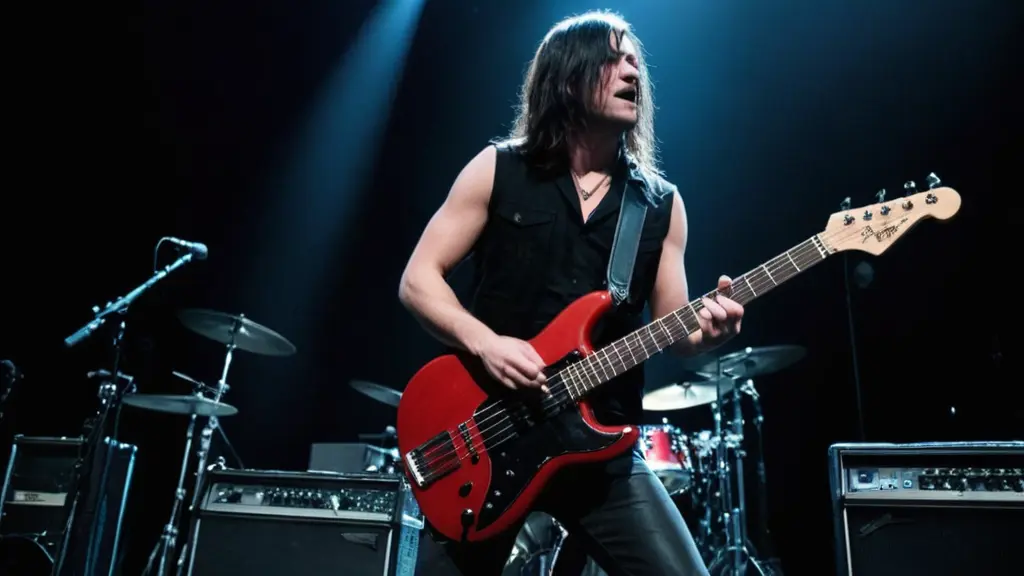
**Band Name:** Tritone **Setting:** - **Stage:** A dimly lit stage with dramatic lighting, emphasizing the intensity of the performance. Spotlights and colored lights (red, blue, and purple) create a vibrant atmosphere. Smoke machines add to the dramatic effect, with a haze lingering in the air. - **Crowd:** Enthusiastic fans with hands raised, some holding up rock signs, heads banging in rhythm to the music. **Band Members:** 1. **Singer:** - **Hair:** Medium-length, reaching just past the shoulders. - **Appearance:** Intense expression, possibly leaning into the microphone stand or gripping it with both hands. - **Clothing:** A fitted, dark-colored shirt (possibly with a band logo or graphic) and leather pants. 2. **Lead Guitarist:** - **Hair:** Long, flowing hair. - **Appearance:** Caught mid-solo, head tilted back, fingers deftly working the guitar strings. - **Clothing:** Sleeveless shirt with a leather vest, jeans, and heavy boots. 3. **Rhythm Guitarist:** - **Hair:** Long hair, partially covering the face. - **Appearance:** Standing with feet apart, strumming aggressively. - **Clothing:** Band t-shirt, ripped jeans, and sneakers. 4. **Bassist:** - **Hair:** Long hair, headbanging with eyes closed. - **Appearance:** One foot on the monitor, bass guitar slung low. - **Clothing:** Tank top, cargo pants, and combat boots. 5. **Drummer:** - **Hair:** Long hair, flying around as they play. - **Appearance:** Behind the drum kit, arms a blur. - **Clothing:** Sleeveless shirt, shorts, and sneakers. ### Steps to Create the Image: 1. **Sketch:** Start with a basic outline of the stage and band members' positions. 2. **Details:** Add details to the band members' faces, hair, and clothing. 3. **Lighting and Effects:** Use bright colors for lights and add shading to create depth. 4. **Background:** Include the crowd and stage equipment (amps, speakers). 5. **Final Touches:** Add textures, shadows, and highlights to make the image realistic. If you want to use an AI image generation tool, provide this detailed description to get a realistic image of the heavy metal band Tritone on stage. Make the hair so that the face of the singer doesn't show

Related images
What does Gulf Picasso offer?

AI Image Generator
Gulf Picasso provides the best free AI image generator, enabling you to create images from text, the best AI art, logo drafts, and various other AI-generated photos, even an AI tattoo generator. Use it to get design ideas for luxury bedroom interior design, the best beauty salon interior design, bathroom designs, and kitchen design. This tool effortlessly brings any design concept to life.
Get your image nowAI Video Generator
Create stunning videos using just a text prompt or a reference image with our AI Video Generator. Powered by the latest cutting-edge video models, this tool transforms your ideas into dynamic visuals. Whether you're looking to bring stories to life or generate short video clips for content creation, our technology delivers high-quality results in minutes.
Get your video now
AI Image Editor
Edit your image easily using AI: You can now edit specific parts of the image, replace or remove elements, remove the background, expand the image, or improve its quality. All this with a text description or using tools. Enjoy complete creative freedom and professional results in seconds.
Edit your image now
AI Logo Generator
Our AI Logo Generator is a cutting-edge tool meticulously designed to make the process of creating stunning logos both easy and efficient. With just a few simple steps, you can craft a logo that perfectly represents your brand. All you need to do is enter your company name and specify the logo elements you envision, including your preferred styles, colors, and any other details that reflect your brand identity. The tool then swiftly generates a unique, professional-quality logo in seconds.
Generate your logo nowAI Lipsync Generator
Bring your videos to life with our AI LipSync Generator. Simply pick a video, choose your favorite voice actor, and write your script. In just minutes, your video will have perfectly synced, natural-sounding audio that makes it fun, engaging, and ready to share anywhere. Whether you’re telling a story, making a meme, or creating content for your followers, this tool makes the process effortless and exciting.
Generate your lipsync now
Video Project Editor
Your all-in-one video editing studio, right in the browser. Combine clips, trim and rearrange scenes, layer text overlays and captions, drop in images, and mix in background music — all on a professional multi-track timeline. Choose from ready-made templates to jumpstart your project, pick any aspect ratio for Reels, Shorts, or widescreen, and export in high quality when you're done. No downloads, no watermarks — just drag, drop, and create.
Start editing now
AI Model Trainer
Train an AI model on things it hasn’t learned before. For example: Use your own photos to create images of yourself in new places, or use photos of famous spots in your city to make scenes with those locations. There’s no limit to what you can create!
Train your model now
AI Social Media Post Generator
AI Social Media Post Generator is a powerful tool that enables you to effortlessly create engaging social media posts, complete with images, by simply providing a topic. This advanced AI-driven tool acts as an Instagram post generator, AI caption generator, and AI content generator all in one. It also supports other major social media platforms, including YouTube, X (formerly Twitter), Facebook, and LinkedIn.
Generate your post now